
Live Wallpaper - Wallpapers 4K
Trusted by ThousandsPersonalization
4.5331.00 Reviews
- Version
- 3.16.10
- Installs
- 10.00M
- Age Rating
- Everyone
Screenshots
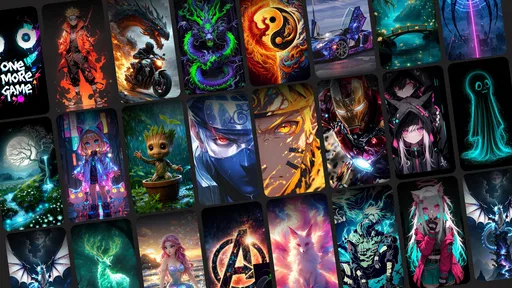
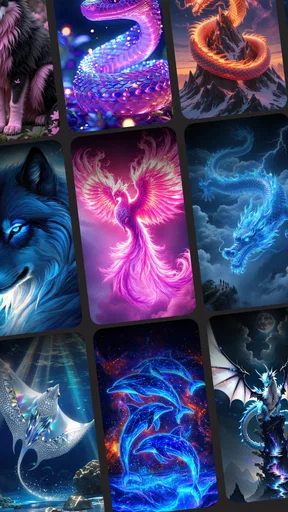
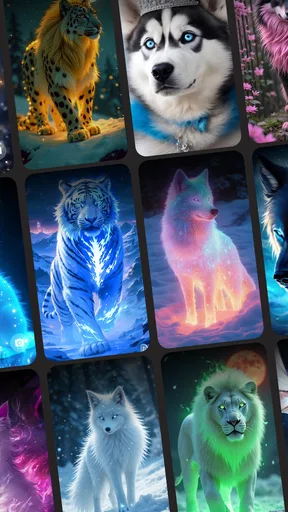

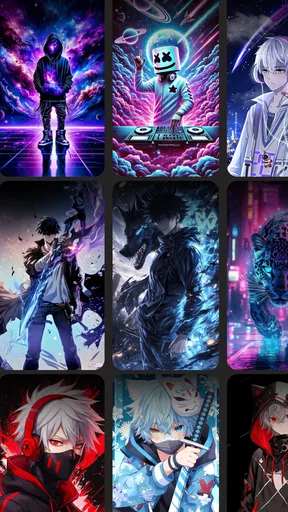
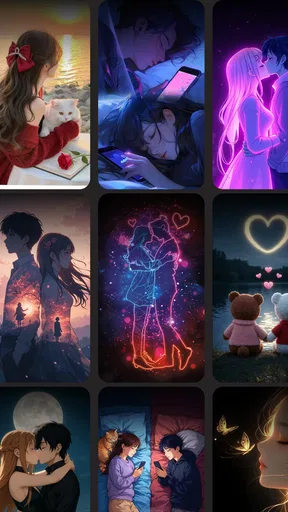
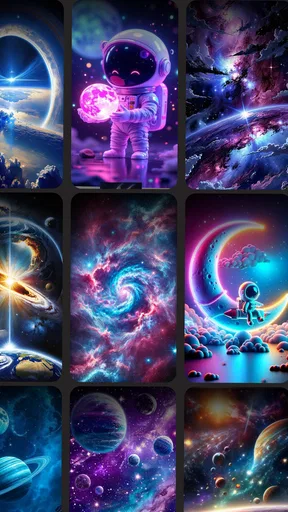
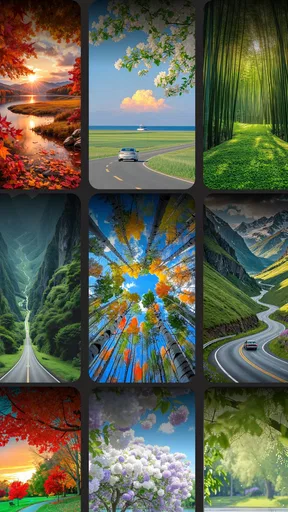
Our Review of Live Wallpaper - Wallpapers 4K
 Analysis by Appyee
Changing a phone’s wallpaper sounds like a small adjustment, but it can alter the feel of the entire device. After spending time with Live Wallpaper - Wallpapers 4K, I found it aimed at people who want more than a static image without having to build a complicated home-screen setup. It belongs to the personalization category, is free to install, and focuses on high-resolution backgrounds alongside animated wallpaper options.
My first impression was that the app is easy to understand. You open it looking for a visual change, browse through wallpaper choices, and decide whether a still background or a moving one suits your phone better. That simplicity is important because wallpaper apps can quickly become cluttered with too many menus, confusing previews, or aggressive attempts to push paid upgrades. Here, the central purpose remains clear: find a background that makes your screen feel more personal.
The app is made by Trusted by Thousands and has built a strong audience, with an average rating of 4.6 from around 30 thousand ratings and more than 10 million installs. Those figures do not replace personal testing, but they do suggest that the app has reached many Android users. It is rated for Everyone, which also makes it approachable for a wide range of people who simply want to refresh the appearance of their device.
How the wallpaper experience works in everyday use
I see this app as a practical choice for someone who wants a quick visual refresh rather than a complete customization system. A normal wallpaper app gives you an image and leaves the rest of the phone alone. This one adds the option of dynamic backgrounds, so the lock screen or home screen can feel more active when you pick a live design.
The 4K focus is useful when you are choosing a background for a modern phone with a sharp display. A low-quality image can look acceptable in a small preview but become soft once stretched across the screen. High-resolution artwork gives you a better chance of keeping edges, textures, and gradients looking clean. That said, the label alone should not make every image equally suitable. Composition still matters: a detailed design behind rows of icons may look busier than it did in the preview.
One of the most useful habits I developed was checking the position of the clock, widgets, and app icons before applying a wallpaper. A dramatic image can be attractive in isolation but awkward when important details sit beneath interface elements. Darker or less crowded designs often work better on a busy home screen, while brighter artwork can be more effective on a lock screen where there are fewer icons to compete with it.
Live wallpaper brings a different trade-off. Movement can make a phone feel more distinctive, especially if you are tired of seeing the same static background every day. It can also become distracting when the animation is too active or when the background competes with the information you actually need to read. I would treat dynamic wallpaper as something to choose selectively, not automatically as the better option.
Where it fits among ordinary wallpaper alternatives
The usual alternative is the wallpaper already included with the phone, or a personal photograph from the gallery. Those options are often faster when you want a familiar image and do not need browsing. A dedicated wallpaper app becomes more useful when you want a larger visual selection, a polished 4K-style presentation, or animated choices without searching across unrelated websites.
Compared with a full launcher or icon-pack setup, this app is much narrower and easier to live with. It does not require you to redesign the whole interface just to change the background. That is an advantage for people who like their current launcher and widgets. On the other hand, users who want coordinated icons, custom gestures, elaborate layouts, or deep theme controls will probably find a wallpaper-focused app limited.
It also differs from using a personal photo because the artwork is selected for display rather than for memory or identity. I would choose a personal image for emotional value and this app when I want the phone to look more polished, atmospheric, or visually consistent. Neither approach is universally better; they solve different problems.
What the free access means for value
The app itself is free, so you can try its basic experience without making an upfront purchase. That makes the decision relatively low-risk for someone who is curious about animated backgrounds or wants to compare several visual styles before committing to anything. Free access is especially valuable here because wallpaper preference is subjective. A design that looks impressive in a preview may not suit your icons, display, or daily habits.
There are in-app purchases ranging from $0.99 to $19.99 per item. I would therefore separate the app’s free usefulness from the value of any optional paid content. The free version can be judged on whether it already gives you enough attractive choices to justify keeping it. Paid items may be worthwhile for someone who finds a particular style or collection genuinely useful, but I would not treat an upgrade as automatically necessary just because the app offers one.
This is also where expectations matter. If you only change your wallpaper every few months, paying for extra artwork may not make sense. If you enjoy rotating backgrounds and care strongly about a particular visual mood, a one-time purchase could feel more reasonable, provided the specific item appeals to you. I would inspect what a purchase unlocks before spending rather than assuming that paying transforms the entire app.
Small decisions that make the result look better
My first practical tip is to test a wallpaper with your real icon arrangement, not just the app’s preview. The preview shows the artwork, but your home screen adds folders, widgets, notification badges, and labels. A background with a calm central area can be more usable than a technically sharper design filled with detail.
My second tip is to use live wallpaper where movement adds atmosphere rather than where it makes reading difficult. A subtle animated scene can work well on a lock screen. A visually intense background behind several pages of apps may make the phone feel less organized. If you notice yourself focusing on the animation instead of the information on screen, a static choice is probably the better fit.
Third, I would keep a simple rotation strategy instead of replacing the background whenever I open the app. Pick a small group for different situations: a quiet design for work, a darker option for evening use, and a more expressive one for weekends or personal time. This makes the app feel like a practical personalization tool rather than an endless browsing habit.
A fourth consideration is screen readability. High-resolution detail is not automatically good interface design. Fine lines, bright highlights, or similarly colored artwork behind white text can reduce contrast. Before settling on a wallpaper, look at the lock screen clock and the labels under your icons. If they disappear visually, the background is working against the phone.
Realistic daily scenarios
Imagine someone who has just bought a new Android phone but does not want to install a launcher, rearrange icons, or learn a new interface. This app gives that person a quick way to make the device feel less generic. They can keep the familiar system layout and change only the visual layer that bothers them.
It can also suit a user who works with the same phone throughout the day and wants a calmer screen during focused tasks. A restrained static background can reduce visual noise compared with a busy animated scene. In the evening, that same person might switch to a darker or more atmospheric design for a different mood. The value comes from matching the wallpaper to the moment, not from choosing the most elaborate image available.
Another realistic use is preparing a phone for a gift. If you know the recipient’s taste, selecting a suitable background can make a device feel more considered without changing settings they may prefer to control themselves. I would still avoid assuming that everyone wants live movement; some people prefer a completely still screen because it feels cleaner.
Limitations worth considering before keeping it installed
The biggest limitation is that wallpaper is a surface-level form of personalization. It can make the phone look better, but it does not solve a cluttered home screen, improve navigation, or organize notifications. If your real frustration is an inefficient layout, a launcher or widget tool may provide more meaningful change.
Live wallpaper can also be the wrong choice for users who value visual calm above all else. Motion is appealing in short bursts, but it may lose its charm when seen repeatedly. I would be cautious about choosing a highly animated design for a phone used for reading, work, or frequent navigation. A static 4K background may deliver the cleaner result.
The purchase range is another reason to be selective. Since optional items can cost from less than a dollar to nearly twenty dollars, the app can move from casual experimentation to a more expensive personalization purchase depending on what you choose. I would set a personal limit before browsing, especially if you are easily tempted by collections that look attractive in a preview.
There is also a difference between wanting variety and wanting certainty. If you already have a specific photograph, illustration, or minimalist color in mind, your gallery or a simple image search may be faster. This app is strongest when you want to explore prepared wallpaper ideas. It is less compelling when you already know exactly what image belongs on your phone.
Who will get the most from it
I think the best audience is Android users who want an immediate visual change while keeping their existing phone setup. It is particularly suitable for people interested in polished backgrounds, animated scenes, or a rotating selection of styles. The free entry point makes it easy to test without treating the decision like a major purchase.
It is also a good match for users who care about display quality. A sharp screen can reveal weaknesses in poorly prepared images, so a high-resolution wallpaper source is more appealing than randomly downloading compressed pictures. Still, I would choose based on readability and composition first, then resolution.
Users who should skip it are those looking for a full personalization suite. If you want custom icons, advanced widgets, gesture controls, or a completely redesigned interface, this app will not replace those tools. People who rarely change their wallpaper may also get more value from a favorite personal photo than from maintaining another customization app.
I would also skip live wallpaper if you find motion distracting or prefer the most restrained possible home screen. The app’s animated option is a choice, not an obligation. Its usefulness does not depend on using every type of background it presents.
Device and purchase expectations
The app was released on January 17, 2025, and the current version is 3.16.4. It supports Android 7.0 and later, which gives it a broad compatibility range for Android phones that are still running older supported software. If your device meets that requirement, the installation barrier should be relatively low, although the final visual experience will naturally depend on your screen and the way your phone handles animated backgrounds.
Because the app is free to install, I would begin by browsing and applying only the free choices that genuinely fit your screen. Give each one a little time in normal use rather than judging it solely from the selection page. Check whether text remains readable, whether the design feels tiring after repeated viewing, and whether the animation adds anything meaningful.
If you later consider an in-app purchase, decide based on a specific wallpaper or collection you actually want. Do not pay simply to make the app feel complete. The free experience should already demonstrate whether this style of personalization suits you. Paid value is personal here: someone who enjoys frequently changing backgrounds may appreciate more choice, while an occasional user may never recover that value.
My buy-or-skip verdict
My recommendation is to try Live Wallpaper - Wallpapers 4K if you want an easy visual refresh and are curious about moving backgrounds. Its free access lowers the risk, its focus is clear, and its large user base suggests that it has found an audience. I especially like it for people who want a more polished phone without committing to a launcher, icon pack, or complicated theme system.
I would keep expectations realistic. The app will not transform how the phone works, and a live background is not automatically an improvement over a well-chosen static image. The best result comes from matching the artwork to your icon layout, choosing readability over spectacle, and treating optional purchases carefully.
For me, the strongest reason to use it is the balance between quick experimentation and visible impact. A wallpaper takes only a moment to change, but the right one can make a familiar phone feel new again. The weakest reason would be buying expensive extras without knowing whether you will still enjoy them after the novelty fades.
Overall, I would recommend the free version to casual customizers, display-conscious users, and anyone who wants to explore 4K-style and dynamic backgrounds in one place. I would point heavy customization fans toward a broader launcher or theming solution instead. The app is most valuable when you want the phone to look different, not when you need the phone to work differently.
Privacy and Permissions
See what permissions an app requests and how it handles your data.
- Calendar
- read calendar events plus confidential information
- Location
- approximate location (network-based), precise location (GPS and network-based)
- Photos/Media/Files
- read the contents of your USB storage, modify or delete the contents of your USB storage
- Storage
- read the contents of your USB storage, modify or delete the contents of your USB storage
- Microphone
- record audio
- Wi-Fi connection information
- view Wi-Fi connections
- Other
- view network connections, pair with Bluetooth devices, access Bluetooth settings, connect and disconnect from Wi-Fi, full network access, run at startup, set wallpaper, draw over other apps, control vibration, prevent device from sleeping, modify system settings, install shortcuts, Google Play license check
Verdict
Strengths of Live Wallpaper - Wallpapers 4K
- Large collection of 4K and animated wallpapers for modern displays.
- Easy preview and one-tap application to the home or lock screen.
- Categories make it simple to discover nature, space, abstract, and more.
- Regular content updates help keep the wallpaper selection fresh.
- Supports personalized backgrounds without requiring advanced editing skills.
Limitations of Live Wallpaper - Wallpapers 4K
- Some premium wallpapers or features may require in-app purchases.
- Animated wallpapers can use more battery than static backgrounds.
- Large 4K files may consume significant storage and mobile data.
- Ad-supported browsing can interrupt the wallpaper selection experience.
- Compatibility and performance may vary across older or lower-end devices.
Similar Picks in This Category
View All
Microsoft SwiftKey AI Keyboard
SwiftKey4.3

Wallpapers
Google LLC4.1

Zedge™ Wallpapers & Ringtones
Zedge4.7

Yandex Browser with Alice AI
Direct Cursus Computer Systems Trading LLC4.3

Ringtone Maker:create ringtone
Big Bang Inc.4.7

Fonts Keyboard
Fonts Keyboard3.9
Frequently Asked Questions
What is Live Wallpaper - Wallpapers 4K?
Live Wallpaper - Wallpapers 4K is a personalization app designed to refresh your phone’s appearance with high-resolution backgrounds and animated wallpapers. It typically offers collections organized by themes such as nature, abstract art, space, animals, and city scenes. Depending on your device, you can preview a wallpaper, apply it to the home screen or lock screen, and customize the overall look without needing advanced technical knowledge.
Does Live Wallpaper - Wallpapers 4K support both Android and iPhone devices?
Compatibility depends on the specific version available for your device and operating system. Android generally provides more flexibility for animated wallpapers, while iPhone support may be limited by iOS wallpaper rules and available features. Before downloading, check the app store listing for your exact device model, operating system version, and supported wallpaper functions to avoid expecting options that your phone cannot use.
Will live wallpapers drain the battery or use a lot of storage?
Animated wallpapers can consume more battery than ordinary static images because they may use the screen, processor, and sometimes motion effects continuously. High-resolution 4K files can also require considerable storage, especially if you download several collections. In my experience, the impact depends on the animation style, screen refresh rate, and device hardware, so using static wallpapers or less demanding live scenes may help reduce consumption.
Is Live Wallpaper - Wallpapers 4K free to use?
The app may provide free wallpapers while also including advertisements, optional premium content, or subscription-based features. Availability can vary by region and app version, so review the current store description before installing. Pay attention to trial periods, renewal terms, and in-app purchase details. A free download does not always mean that every 4K collection, animation, or customization option is available without payment.
How do I apply a wallpaper and protect my privacy?
After selecting a background, the app normally lets you preview it and choose whether to apply it to the home screen, lock screen, or both, although the exact steps vary by platform. For privacy, review the permissions requested during installation and be cautious if the app asks for access unrelated to wallpapers. Download only from the official Google Play Store or Apple App Store, and read the privacy policy before granting optional permissions.
